Customize the consent screen section headers in Link

You can now change the wording of every section header on the LinkLink The authorization flow that allows end users to connect their accounting, banking, or commerce platforms to your application via Codat. consent screen, so the language your customers see matches the terminology they already use in your product.
What's new?
The consent screen is the final step before a user connects their platform. It groups what they're agreeing to into five expandable sections: Purpose, Access, Account information, Platform data, and Retention.
Previously, the body content of each section was customizable, but the headers were fixed. Clients told us the default wording didn't always match what their users expect, which risked confusion at the most sensitive point in the flow.
You can now customize all five headers, for each of the accounting, banking, and commerce integration categories independently.
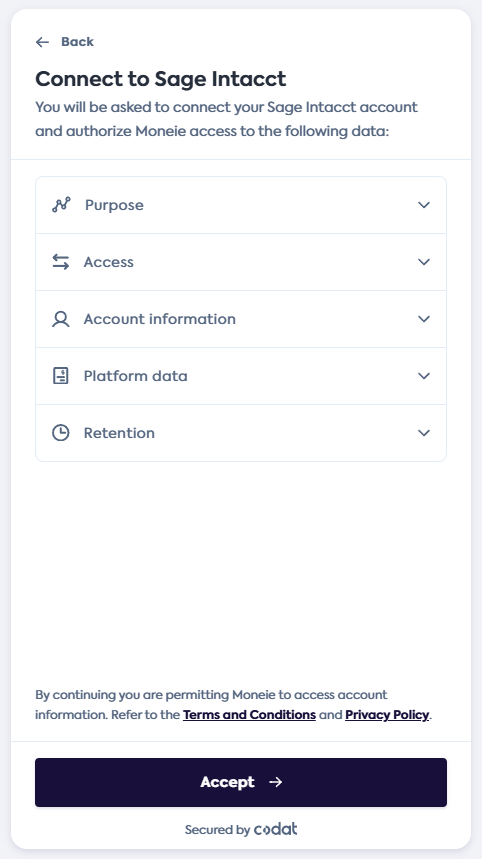
The five customizable sections on the consent screen
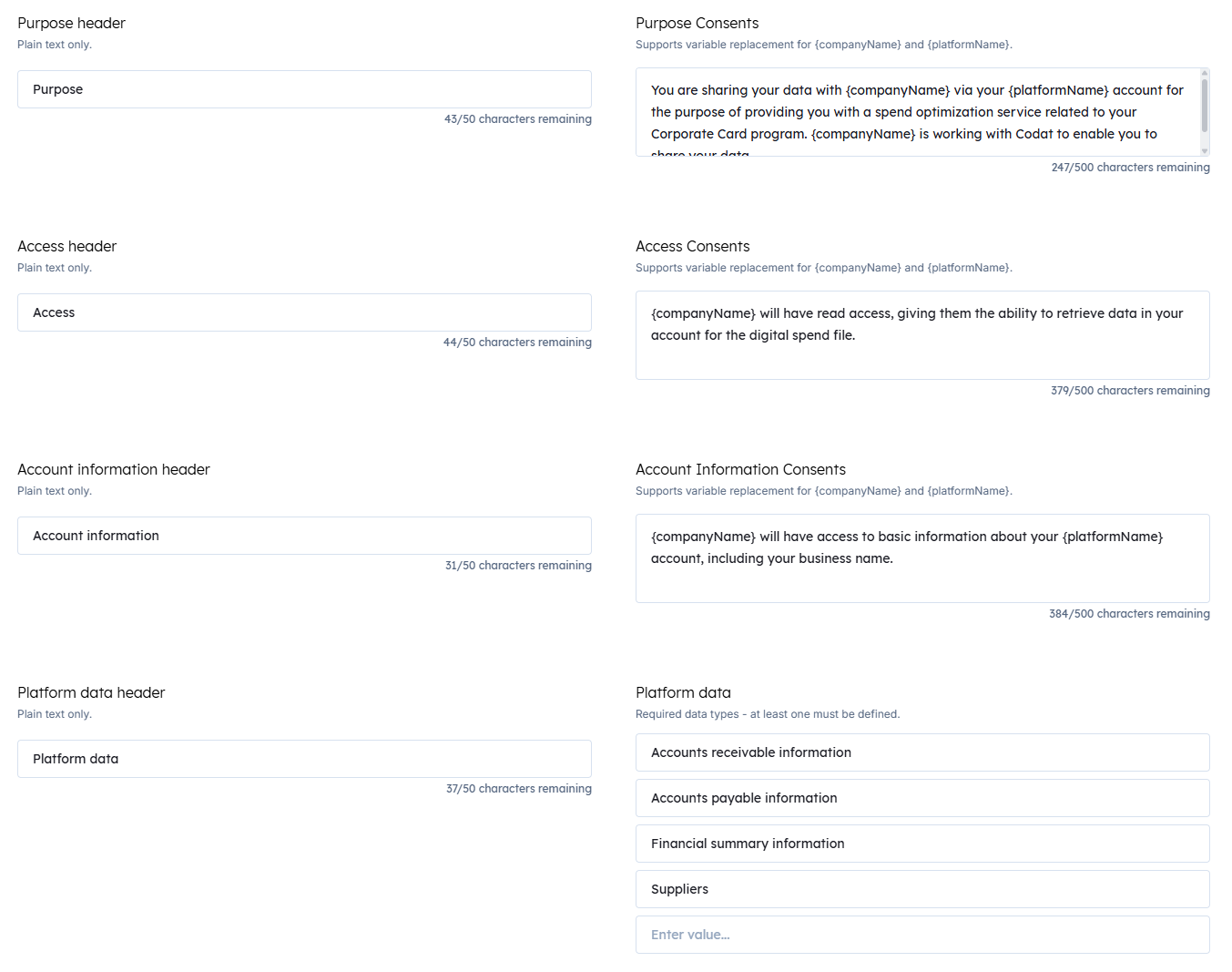
Header fields in the Codat Portal, alongside the existing content fields
Each header accepts up to 50 characters of plain text. Leave a field empty and LinkLink The authorization flow that allows end users to connect their accounting, banking, or commerce platforms to your application via Codat. falls back to the default wording, so nothing changes visually until you set a header yourself.
Who is this relevant for?
This update is relevant for all clients using Link to connect their customers' financial data, whether through Hosted Link or the Link SDK.
It's especially useful if your product or your regulatory environment uses specific terminology for data sharing, and you want the consent screen to speak the same language as the restREST An architectural style for designing networked applications. Codat's APIs follow REST principles, using standard HTTP methods. of your onboarding.
How to get started?
No action is required. Your consent screen keeps its current wording unless you choose to change it.
To customize a header in the Codat Portal:
- Navigate to Settings > Auth flow > Link > Onboarding.
- Find the Data access consent section for the relevant integration category.
- Enter your wording in the header field that sits alongside each section's content field, then save.
If you're using the LinkLink The authorization flow that allows end users to connect their accounting, banking, or commerce platforms to your application via Codat. SDK, you can also set the headers in code using the text option:
text: {
  "accounting.consents.headers.purpose": "Why we need your data",
  "accounting.consents.headers.retention": "How long we keep it",
}
For more detail, see Link settings in Portal and the custom text options reference.